How AI Coding Tools Like Cursor Work Under the Hood
In my previous post, How DeepWiki Works , I shared one possible way DeepWiki is implemented. I left a question there: how does DeepWiki chunk a source code repository?
The answer is AST chunking.
In this post I want to analyze how two software development aids — Cursor and Cline — implement “code indexing.” In fact, they are not fundamentally different from DeepWiki; all of them use AST chunking.
AST
An Abstract Syntax Tree (AST) is a tree representation of source code that reflects the code’s syntactic structure. When chunking code, ASTs help us better understand the semantic boundaries of the code.
ASTs are widely used in compilers and source code analysis tools. For example, in the frontend world, Babel and the TypeScript compiler (TSC) use ASTs to transform ES6 or TypeScript code into JavaScript that browsers can run.
Below is a simple example showing how an AST converts TypeScript code into a tree structure. Suppose we have this TypeScript function:
function greet(name: string) {
  return "Hello, " + name;
}
After being processed by an AST tool, it is abstracted into the following tree:
- SourceFile
- FunctionDeclaration
- Identifier: “greet”
- Parameter
- Identifier: “name”
- Block
- ReturnStatement
- BinaryExpression
- StringLiteral: “Hello, "
- Identifier: “name”
- BinaryExpression
- ReturnStatement
- FunctionDeclaration
A compiler can then walk this tree and translate it node by node into JavaScript code.
Once you understand ASTs, you roughly understand how DeepWiki — and even code editors like Cursor — build code indexes.
Cursor
In Cursor’s official documentation , you can find a description of how it indexes user code.
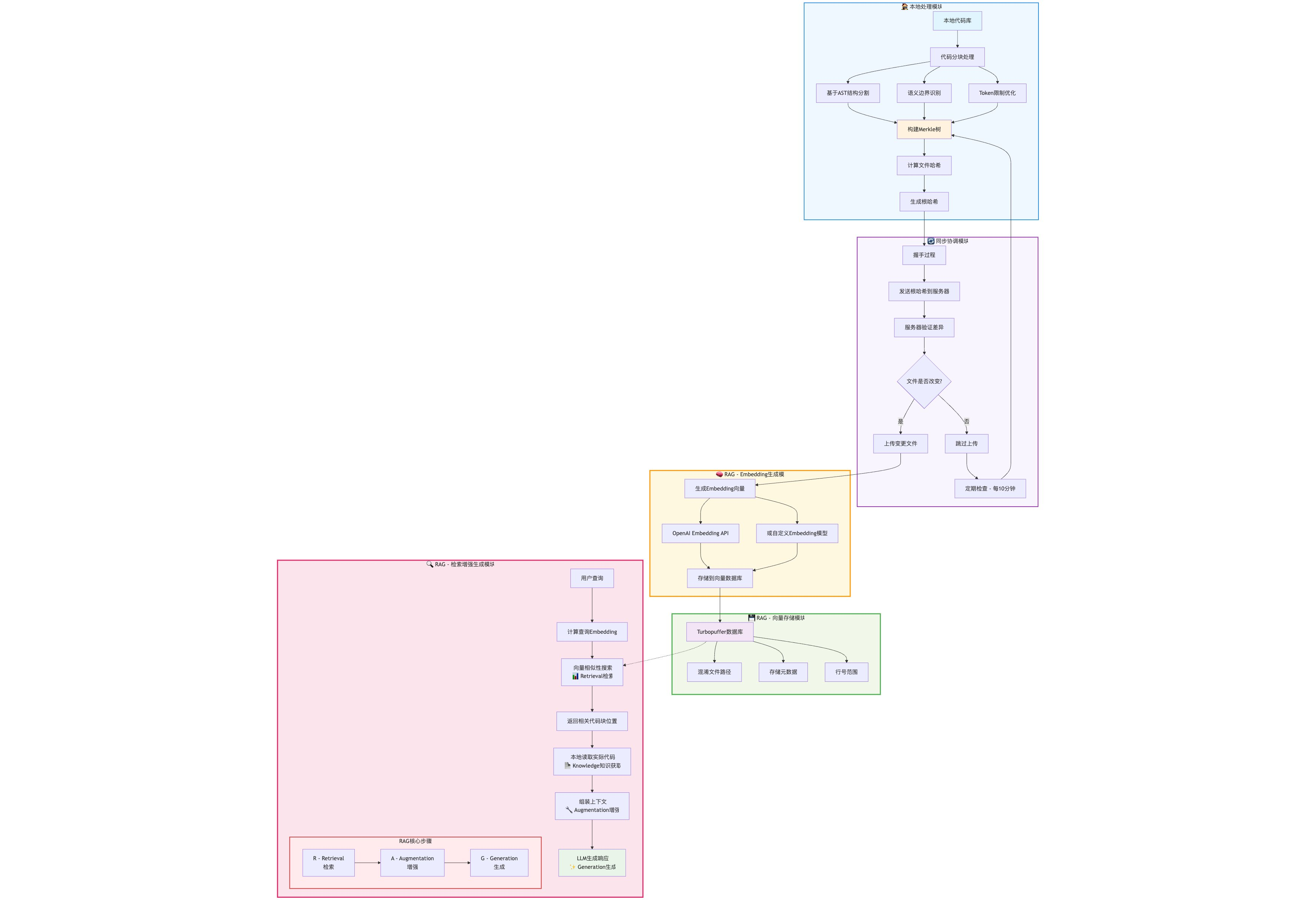
Cursor scans the user’s repository, computes file hashes, and builds a Merkle tree. Similar to the way Git compares file diffs, Cursor uses the Merkle tree to detect file changes in the user’s workspace and incrementally uploads modified files to Cursor’s servers.
Uploaded files are then chunked and embedded, and stored in a Turbopuffer database. This is the process of building a RAG over the source code.
The chunking step uses an AST tool to structure the code into a syntax tree, then cuts the serialized tree nodes into small chunks, and finally embeds them as vectors for storage.
Turbopuffer does not only store the vectorized code; it also stores metadata such as the line numbers and source file paths of the code segments.
When Cursor tries to autocomplete user code or generate new code from context, it queries the Turbopuffer database, finds the vectors with the highest similarity, and gets the file path and line numbers for that segment. Cursor then reads the corresponding source code from the user’s repository and puts it into the LLM’s system context. Finally, the LLM returns the newly generated code to Cursor.
A user on X put together this flow diagram:
Cline
Cline’s official blog offers a glimpse of how it is implemented.
Cline is an AI agent that helps with coding. Cline does not upload code and build a RAG; instead, it takes a safer and more reliable approach to managing the user’s repository.
Here is the developers’ description of how Cline works:
When you point Cline at a codebase, it doesn’t immediately try to read every file. Instead, it begins by understanding the architecture. Using Abstract Syntax Trees (ASTs), Cline extracts a high-level map of your code – the classes, functions, methods, and their relationships. This happens through our list_code_definition_names tool, which provides structural understanding without requiring full implementation details.
Cline uses its list_code_definition_names tool to convert source code into an AST. Cline treats that AST as a “map” of the entire codebase.
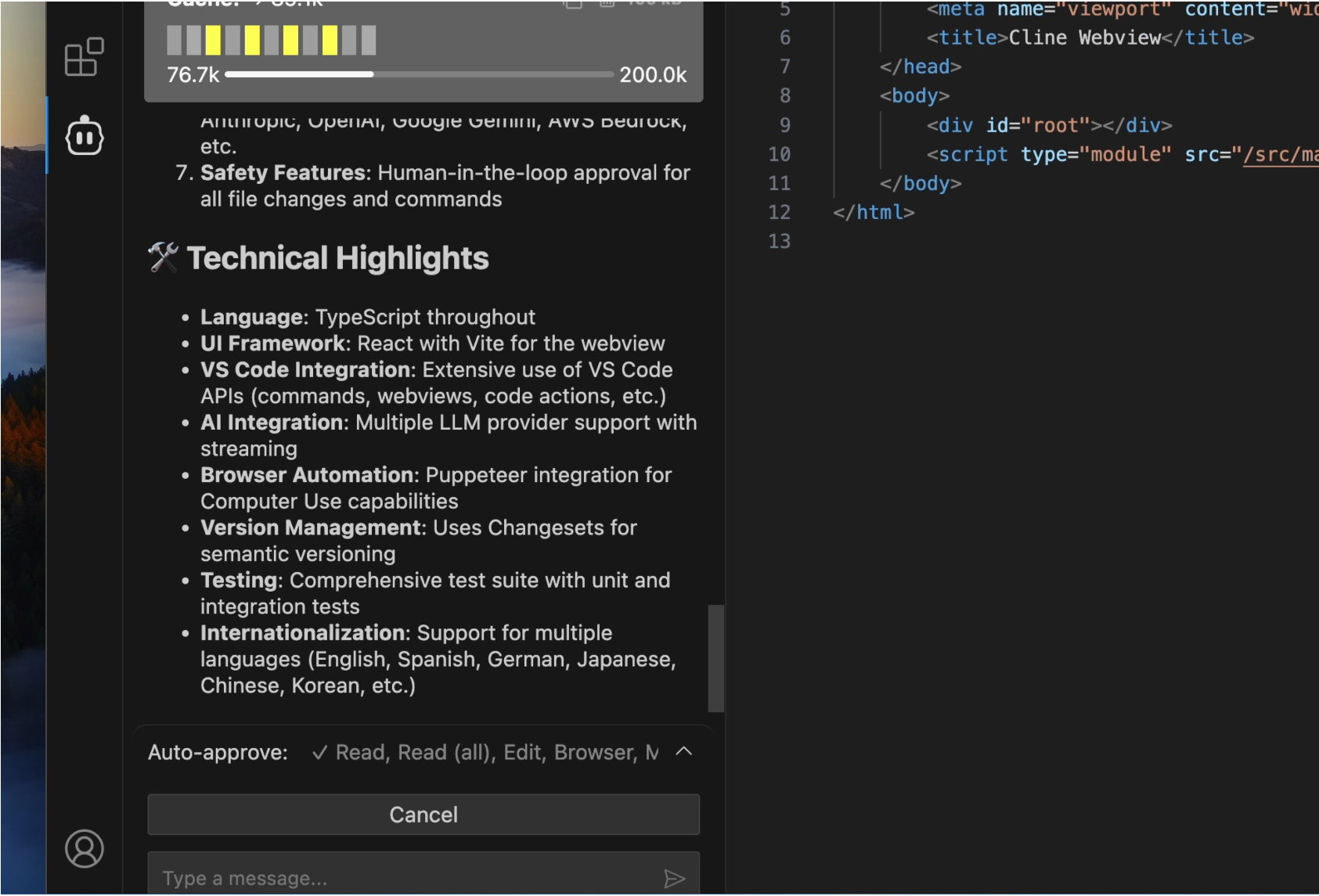
When Cline runs a task automatically, it analyzes the file that needs to be modified, builds an AST for that file, and converts the AST into natural-language context (similar to how DeepWiki turns code into documents). It feeds this context to the LLM, letting the LLM decide whether to modify the file or look at another file to gather more context.
If Cursor compares similarity between vector-space code snippets, Cline converts code snippets into natural-language descriptions and lets the LLM, through semantic understanding, hunt for clues across the repository and compare the semantic similarity of code segments.
Cline’s approach is clearly safer — enterprise users don’t have to worry about Cline abusing the source code. The side effect, however, is higher token consumption. Constantly fetching context across files also takes more time. In some edge cases, Cline may even bounce back and forth between two files, falling into a loop.
In my own experience, Cline performs better than Cursor’s Agent mode on certain models (Deepseek-r1, OpenAI-4o), because Cline’s semantic understanding makes better use of these models’ natural-language abilities than vector similarity does.
For programming-optimized Claude Sonnet, though, there is no significant difference, so users need to choose between higher security and faster response time.
Summary
This post mainly covered how code editors use Abstract Syntax Trees (ASTs) to build code indexes and implement code completion.
In general, ASTs are an important tool for understanding the syntactic structure of code, and different implementations have their own trade-offs.